Instagram Post Insights Explained: A Complete Guide
This in-depth guide to instagram post insights explained explains what it is, how it works, and how to use it safely. Instagram’s post insights are one of the most powerful free tools available to creators — yet most people only glance at the numbers and move on. This complete guide goes beyond the basics: you will learn every metric Instagram tracks for your posts, Reels, and Stories, how to interpret them correctly, and how to turn that data into a content strategy that actually grows your account.
Whether you are just starting out or already posting consistently, mastering post insights is the fastest way to stop guessing and start growing with intention.

What Instagram Post Insights Cover
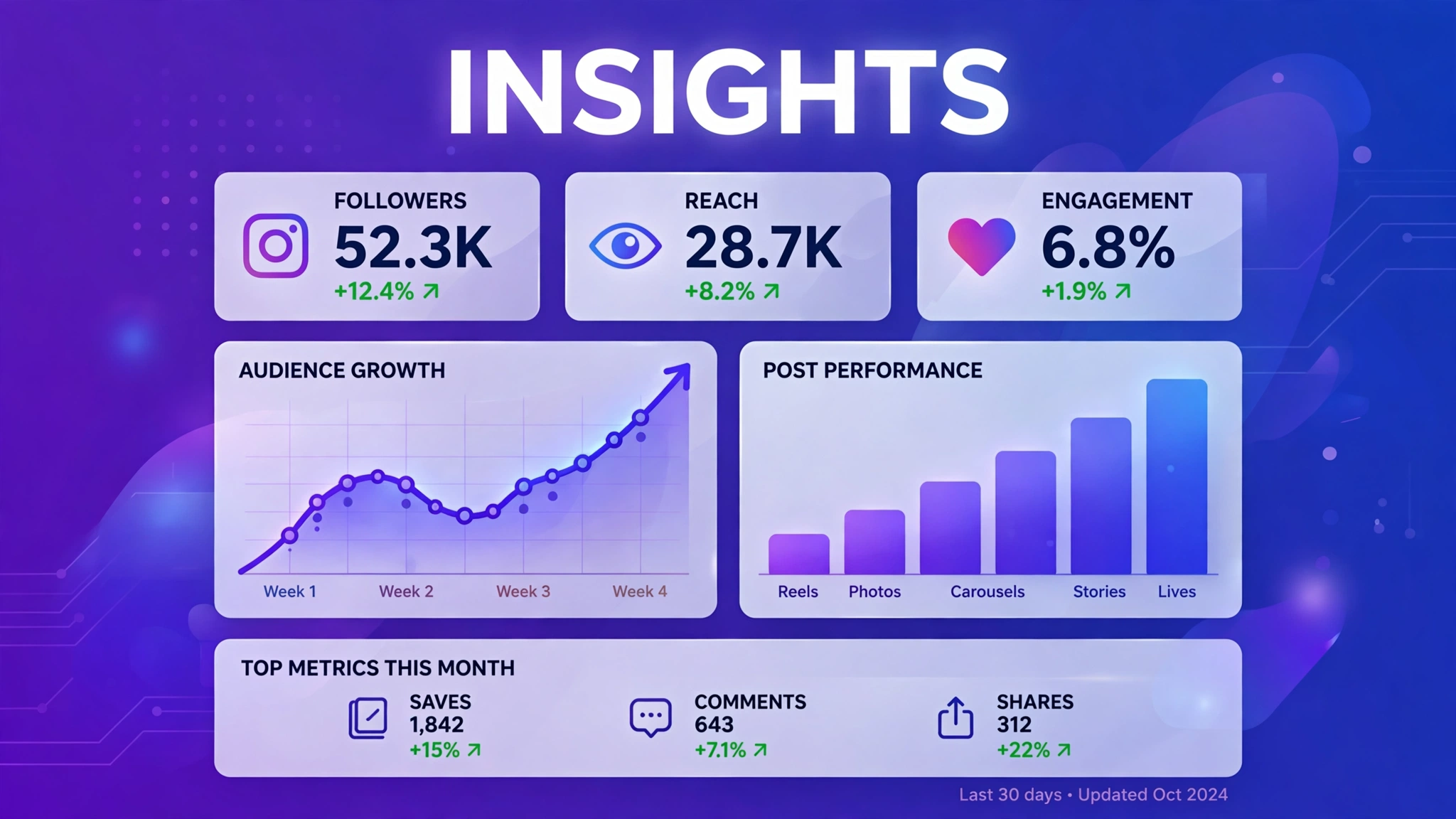
Post insights are Instagram’s per-content analytics, available on every professional account (Creator or Business). Each format you publish — feed posts, carousels, Reels, and Stories — gets its own insights panel with metrics tailored to that format. Together, they answer three questions: how far did this content go, how did people react, and did it grow my account?
Insights are part of the larger Instagram Insights system, which also tracks account-level reach, follower growth, and audience demographics. Individual post insights let you zoom in; the Professional Dashboard lets you zoom out. You need both views to make smart decisions, and both are free — Instagram’s Help Center confirms there is no paid tier for analytics access.
Every Metric in Post Insights, Explained
Reach and Impressions
Reach counts the unique accounts that saw your post; impressions count total displays including repeat views. Reach measures distribution breadth, impressions measure exposure volume. Instagram splits both by followers versus non-followers and by discovery source (Home, Profile, Explore, Hashtags, Other), so you can see exactly where your audience came from. If you want to push these numbers higher, these proven ways to get more Instagram views work hand in hand with good analytics habits.
Likes, Comments, Shares, and Saves
These are your content interactions. Likes are quick approval; comments show deeper interest; shares mean someone passed your content to a friend; saves mean someone wants to revisit it later. Instagram’s ranking systems treat saves and shares as the strongest quality signals, so a post with modest likes but strong saves will typically travel further than a post with likes alone. A deliberate plan to improve your Instagram engagement rate focuses on earning exactly these high-value interactions.
Profile Activity: Visits, Follows, Website Taps
This section tracks what viewers did after seeing your post. Profile visits measure curiosity; follows measure conversion into audience growth; website taps measure off-platform traffic. For creators, follows per post is the single most growth-relevant number on the panel. These organic follower growth tactics are designed to turn that curiosity into lasting follows.
Reels-Specific Metrics: Plays and Watch Time
Reels add plays (how many times playback started) and watch-time data. Average watch time and completion rate are critical: Reels that hold attention get recommended more aggressively. If your plays are high but watch time is low, your hook needs work — the first one to two seconds decide everything.
Stories-Specific Metrics: Navigation and Replies
Stories report views plus navigation behavior: forward taps (skimming), back taps (rewatching), exits (leaving), and replies (engaging). High exits on a particular frame tell you exactly where interest died. Replies are the strongest Story signal and often lead directly to DMs and relationships.
How to Read Your Insights Like a Strategist
Raw numbers mean little without comparison. The strategist’s method is simple: every week, identify your three best and three worst posts by reach and engagement, open their insights side by side, and look for patterns in format, topic, hook, caption length, and posting time. Write down one insight per week and apply it to the next week’s content.
Use the four-quadrant diagnosis for any single post: high reach plus high engagement means replicate the formula; high reach plus low engagement means the content missed; low reach plus high engagement means great content with a distribution problem (often timing); low reach plus low engagement means move on and learn. This one framework replaces hours of overthinking.
Also track metrics in ratios, not just absolutes. Engagement rate (interactions divided by reach), saves per thousand impressions, and follows per post let you compare a Reel that reached 50,000 people with a carousel that reached 5,000 — fairly.
Turning Insights Into a Content Strategy
Data only matters when it changes behavior. Start by doubling down on your top-performing format: if carousels consistently earn more saves, make carousels your backbone. Next, double down on your top topics: if tutorials outperform memes, shift your mix toward tutorials. Then optimize timing using your audience insights’ active-hours data.
Build a simple monthly review into your routine: export your observations (even just in a notes app), note which discovery sources are growing, and set one experiment for the next month — a new format, a new posting time, a new content pillar. Over a quarter, this compounds into a genuinely data-driven Instagram growth strategy instead of random posting.
The right toolkit speeds this up considerably. These IG tools for Instagram growth and engagement help you plan, create, and measure content more efficiently, while these free IG tools cover the essentials at zero cost.
Common Insights Mistakes to Avoid
- Judging posts too early: data needs 24–48 hours to settle. Never evaluate a post the same day you publish it.
- Chasing vanity metrics: likes feel good, but saves, shares, and follows drive growth.
- Comparing yourself to big accounts: benchmark against your own history, not someone with a million followers.
- Ignoring discovery sources: knowing where views came from is as important as how many you got.
- Collecting data without acting: one applied insight beats ten observed ones.
Frequently Asked Questions About Instagram Post Insights Explained
Do I need a business account to see post insights?
You need a professional account — either Creator or Business. Personal accounts do not have access. Switching is free and takes under a minute in your account settings.
How long should I wait before checking a post’s insights?
Wait at least 24 to 48 hours. Instagram updates metrics with a delay, so same-day numbers are incomplete and misleading.
What is the most important metric in post insights?
It depends on your goal, but for most creators the top three are reach (distribution), saves and shares (content quality), and follows (audience growth). Together they tell the full story.
Can post insights tell me the best time to post?
Indirectly, yes. Your audience insights show when your followers are most active, and comparing post performance across different times reveals your personal best windows. Combine both for reliable timing.
Are third-party analytics apps better than Instagram’s built-in insights?
Instagram’s native insights are the most accurate source because they come straight from the platform. Third-party apps can add convenience features like exports and historical charts, but never grant them your password — use only reputable tools with official API access.
What is the most important thing to know about instagram post insights explained?
The most important thing about instagram post insights explained is to stick to safe, legitimate methods and never share your Instagram password with any third-party site. Whether you are exploring instagram post insights explained for growth, analytics, or simple curiosity, prefer official Instagram features and Meta-approved tools, and treat any service promising instant or guaranteed results with healthy skepticism.