View Insights Instagram Meaning: What Do These Metrics Mean?
This in-depth guide to view insights instagram meaning explains what it is, how it works, and how to use it safely. You tapped “View Insights” under one of your Instagram posts, and now you are staring at a wall of numbers: reach, impressions, interactions, profile visits, follows, and more. What do all of these metrics actually mean — and which ones should you care about? This article is your plain-English dictionary for every metric inside Instagram’s View Insights panel.
No jargon, no fluff. Just clear definitions of what Instagram measures, why it matters, and how to read each number like a pro.
What Does “View Insights” Mean on Instagram?
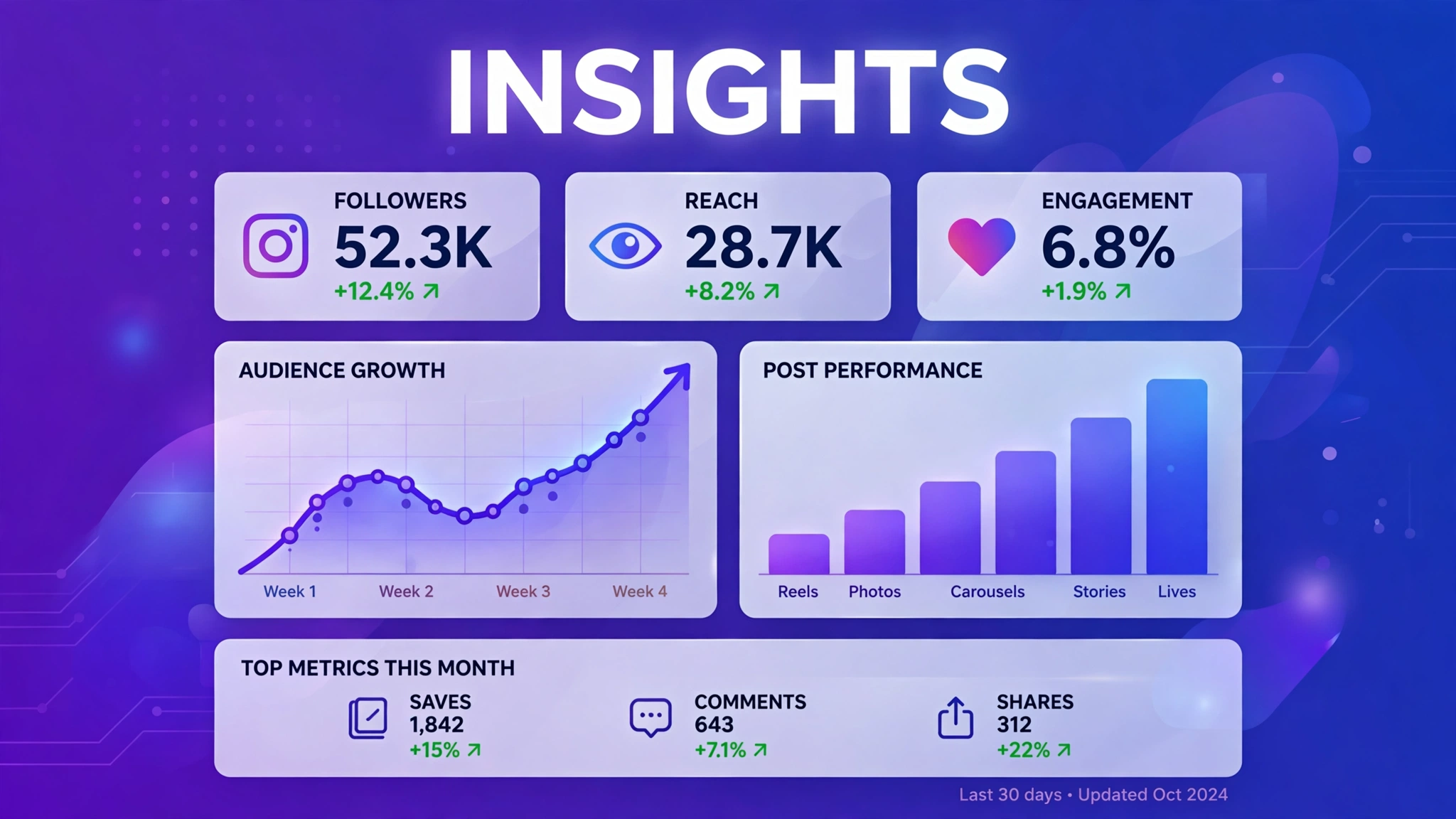
“View Insights” is simply the button Instagram places under your posts (and on your profile dashboard) that opens your analytics for that content. Tapping it does not change anything or notify anyone — it just shows you the performance data Instagram has collected for that post. The button is only visible to you, the account owner, and only if you use a professional (Creator or Business) account.
Once you tap it, Instagram opens a metrics screen. The exact layout changes slightly as Instagram updates the app, but the core metrics stay the same. Let’s go through them one by one.
Accounts Reached: What This Metric Means
Accounts reached (often just labeled “Reach”) is the number of unique Instagram accounts that saw your post at least once. “Unique” is the key word: if the same person sees your post five times, they still count as one reached account. This metric answers the question: how many different people did my post get in front of?
Instagram also shows a follower vs. non-follower split for reach. If most of your reach comes from non-followers, Instagram is actively recommending your content to new people — a great sign for growth. If almost all reach is from existing followers, your content is preaching to the choir and you may want to try formats that travel further, like Reels.
Impressions: What This Metric Means
Impressions count the total number of times your post was displayed on screen, including multiple views by the same person. While reach measures breadth (how many people), impressions measure depth (how much viewing happened).
The gap between impressions and reach tells a story. Impressions roughly equal to reach means one view per person — normal for most posts. Impressions far above reach means people are coming back to your post repeatedly, which usually indicates highly valuable or entertaining content. Neither is “wrong,” but a big gap is worth celebrating.
Content Interactions: Likes, Comments, Shares, Saves
Content interactions is Instagram’s umbrella term for every active engagement your post received. Tapping into it reveals the breakdown:
- Likes: The simplest tap of approval. Nice to have, but the weakest quality signal.
- Comments: Written responses. These take effort, so they signal genuine interest — and they also boost your post in the algorithm.
- Shares (sends): Times someone sent your post to another person via DM. A strong sign your content resonates enough to pass along.
- Saves: Times someone bookmarked your post to revisit later. Instagram treats saves as one of the strongest positive signals, and posts with many saves often get wider distribution.
When reading these, look at the mix, not just the total. High saves and shares with modest likes means your content is genuinely useful — exactly the kind Instagram wants to promote. If you want a toolkit for creating more of it, explore these free IG tools for Instagram growth.
Profile Activity: Visits, Follows, and Taps
This section measures what happened after someone saw your post:
- Profile visits: The number of people who tapped through to your profile after seeing the post. It measures curiosity — your post made them want to know more about you.
- Follows: How many of those visitors converted into new followers. This is the metric that most directly measures audience growth from a single post.
- Website taps: Clicks on the link in your bio. If you are driving traffic to a shop, blog, or landing page, this is your money metric.
Business accounts may also see taps on contact buttons (call, email, directions). These show real-world commercial intent and are worth tracking if you run a local business.
Discovery Metrics: Where Your Views Came From
Instagram tells you where your impressions came from, and this is one of the most strategic parts of the whole panel:
- Home: Your followers’ main feeds.
- Profile: People browsing your profile grid directly.
- Explore: Instagram’s discovery page — reaching here means the algorithm is recommending you.
- Hashtags: Discovery through hashtag pages.
- Other: DMs, shares, embeds, and notifications.
A healthy growth pattern shows Explore and Other growing over time, because that means your content is traveling beyond your current audience. To accelerate that, follow this step-by-step organic growth guide alongside your analytics reviews.
Reels and Stories: Extra Metrics to Know
Reels add plays — the number of times your Reel started playing — plus watch-time data on newer versions of the app. Stories show views plus navigation behavior: forward taps, back taps, exits, and replies. Forward taps suggest skimming, back taps suggest rewatching something good, and exits show where you lost people.
Which Metrics Actually Matter Most?
If the full list feels overwhelming, focus on these four: reach (distribution), saves and shares (content quality), profile visits and follows (growth), and discovery sources (strategy). These four tell you how far your content went, how good it was, whether it grew your audience, and where to double down. Turning profile visits into follows is a skill of its own — these organic follower growth tactics pair well with what your metrics are telling you. Everything else is supporting detail.

Frequently Asked Questions About View Insights Instagram Meaning
What does “View Insights” mean on someone else’s post?
You will not see a “View Insights” button on other people’s posts — it only appears on your own content, and only on professional accounts. If you see the phrase referenced, someone is talking about their own analytics.
Why do my metrics keep changing?
Instagram updates insights with a delay, sometimes up to 48 hours. Numbers on a fresh post will climb as late views and interactions are counted, then stabilize after a couple of days.
What does it mean when reach is high but engagement is low?
It means Instagram showed your post to many people, but the content did not move them to interact. This usually points to a weak hook, unclear value, or a mismatch between the content and the audience it reached.
Are saves really more important than likes?
For algorithmic distribution, yes. Saves indicate someone wants to revisit your content, which Instagram reads as a strong quality signal. Likes are still nice social proof, but they carry less weight in ranking.
Can I see insights on the Instagram website?
The full insights panel is primarily a mobile-app feature, as documented in the Instagram Help Center. On desktop, you can access deeper analytics through Meta Business Suite if your Instagram business account is connected to a Facebook Page.
What is the most important thing to know about view insights instagram meaning?
The most important thing about view insights instagram meaning is to stick to safe, legitimate methods and never share your Instagram password with any third-party site. Whether you are exploring view insights instagram meaning for growth, analytics, or simple curiosity, prefer official Instagram features and Meta-approved tools, and treat any service promising instant or guaranteed results with healthy skepticism.